
XF 1600 IFU 5.0 en.pdf
Vista previa de texto
Chapter 8
8.5.2
Basic operation
Status area
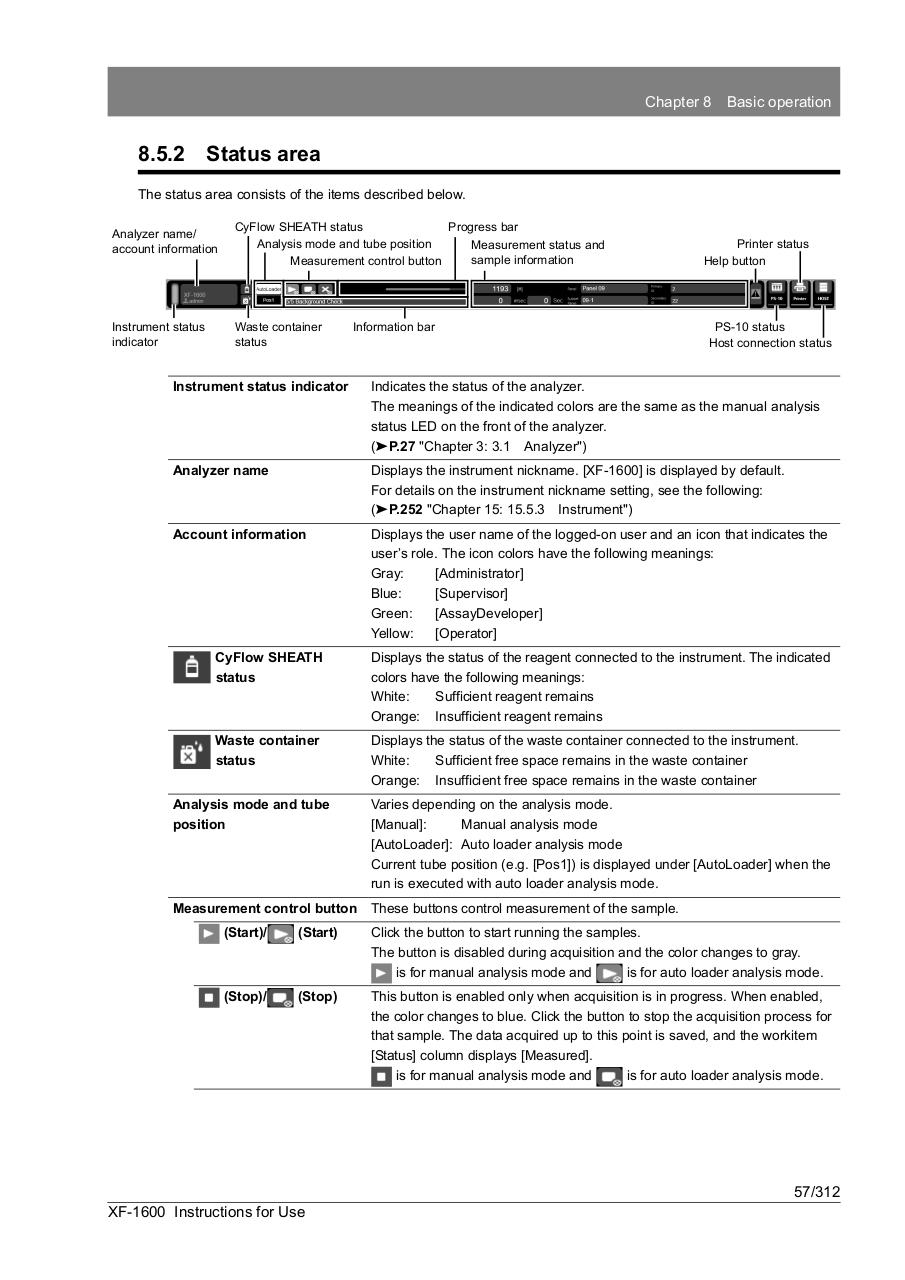
The status area consists of the items described below.
Analyzer name/
account information
CyFlow SHEATH status
Progress bar
Analysis mode and tube position
Measurement status and
sample information
Measurement control button
Instrument status
indicator
Waste container
status
Information bar
Printer status
Help button
PS-10 status
Host connection status
Instrument status indicator
Indicates the status of the analyzer.
The meanings of the indicated colors are the same as the manual analysis
status LED on the front of the analyzer.
(➤P.27 "Chapter 3: 3.1 Analyzer")
Analyzer name
Displays the instrument nickname. [XF-1600] is displayed by default.
For details on the instrument nickname setting, see the following:
(➤P.252 "Chapter 15: 15.5.3 Instrument")
Account information
Displays the user name of the logged-on user and an icon that indicates the
user’s role. The icon colors have the following meanings:
Gray:
[Administrator]
Blue:
[Supervisor]
Green:
[AssayDeveloper]
Yellow:
[Operator]
CyFlow SHEATH
status
Displays the status of the reagent connected to the instrument. The indicated
colors have the following meanings:
White:
Sufficient reagent remains
Orange: Insufficient reagent remains
Waste container
status
Displays the status of the waste container connected to the instrument.
White:
Sufficient free space remains in the waste container
Orange: Insufficient free space remains in the waste container
Analysis mode and tube
position
Varies depending on the analysis mode.
[Manual]:
Manual analysis mode
[AutoLoader]: Auto loader analysis mode
Current tube position (e.g. [Pos1]) is displayed under [AutoLoader] when the
run is executed with auto loader analysis mode.
Measurement control button
These buttons control measurement of the sample.
(Start)/
(Start)
Click the button to start running the samples.
The button is disabled during acquisition and the color changes to gray.
is for manual analysis mode and
is for auto loader analysis mode.
(Stop)/
(Stop)
This button is enabled only when acquisition is in progress. When enabled,
the color changes to blue. Click the button to stop the acquisition process for
that sample. The data acquired up to this point is saved, and the workitem
[Status] column displays [Measured].
is for manual analysis mode and
is for auto loader analysis mode.
57/312
XF-1600 Instructions for Use