
XF 1600 IFU 5.0 en.pdf
Vista previa de texto
Chapter 8
8.5
Basic operation
Main screen
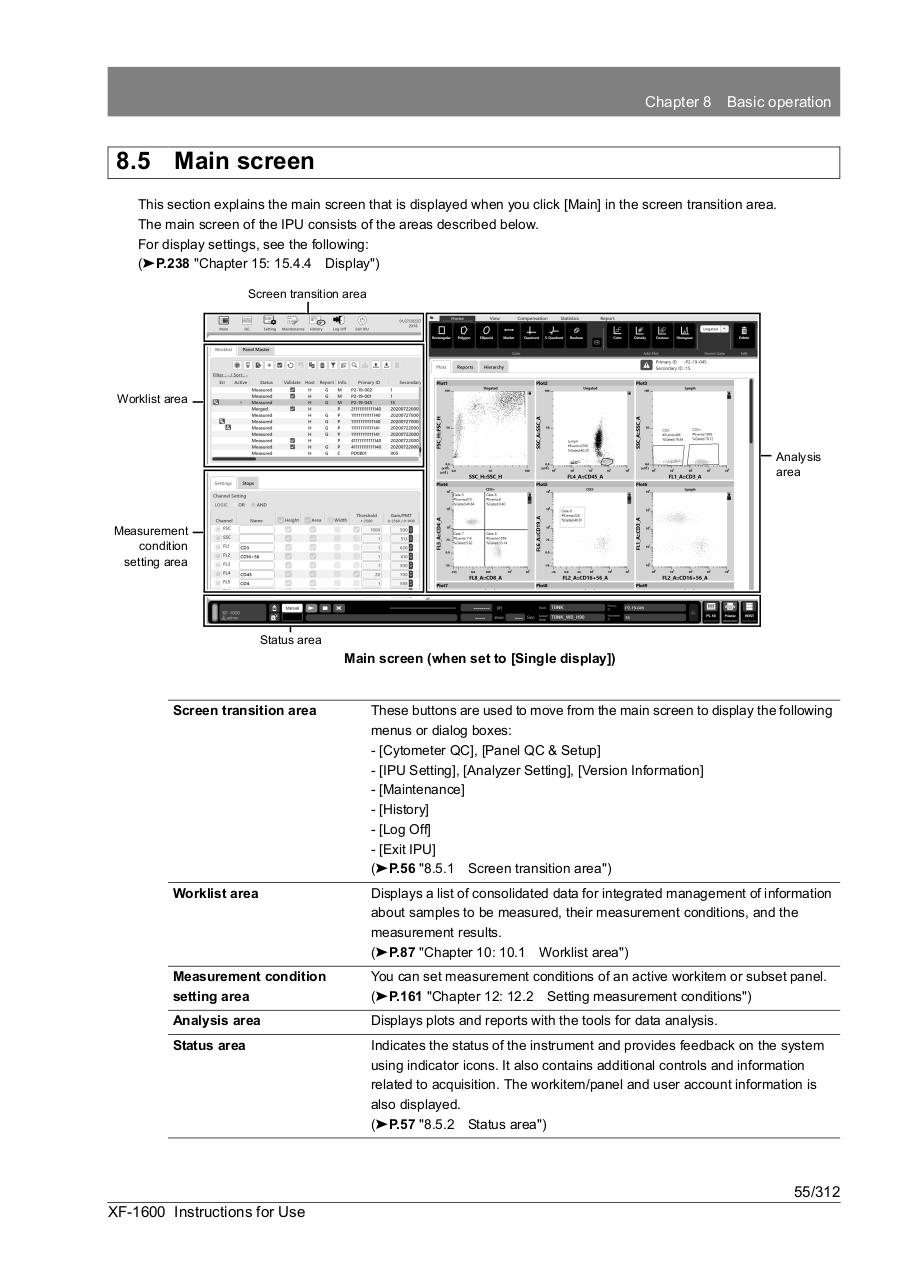
This section explains the main screen that is displayed when you click [Main] in the screen transition area.
The main screen of the IPU consists of the areas described below.
For display settings, see the following:
(➤P.238 "Chapter 15: 15.4.4 Display")
Screen transition area
Worklist area
Analysis
area
Measurement
condition
setting area
Status area
Main screen (when set to [Single display])
Screen transition area
These buttons are used to move from the main screen to display the following
menus or dialog boxes:
- [Cytometer QC], [Panel QC & Setup]
- [IPU Setting], [Analyzer Setting], [Version Information]
- [Maintenance]
- [History]
- [Log Off]
- [Exit IPU]
(➤P.56 "8.5.1 Screen transition area")
Worklist area
Displays a list of consolidated data for integrated management of information
about samples to be measured, their measurement conditions, and the
measurement results.
(➤P.87 "Chapter 10: 10.1 Worklist area")
Measurement condition
setting area
You can set measurement conditions of an active workitem or subset panel.
(➤P.161 "Chapter 12: 12.2 Setting measurement conditions")
Analysis area
Displays plots and reports with the tools for data analysis.
Status area
Indicates the status of the instrument and provides feedback on the system
using indicator icons. It also contains additional controls and information
related to acquisition. The workitem/panel and user account information is
also displayed.
(➤P.57 "8.5.2 Status area")
55/312
XF-1600 Instructions for Use