
XF 1600 IFU 5.0 en.pdf
Vista previa de texto
Chapter 8
Basic operation
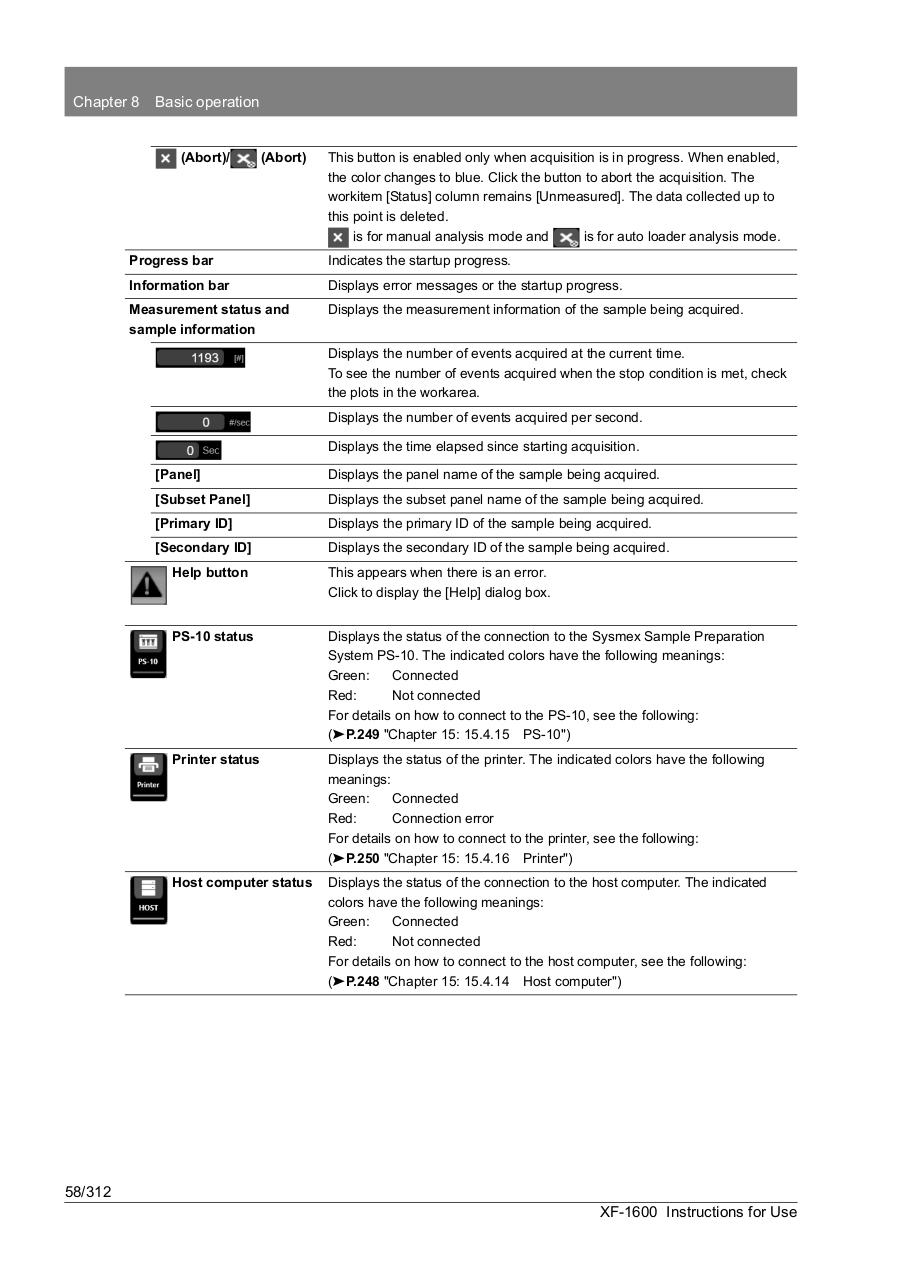
(Abort)/
(Abort)
This button is enabled only when acquisition is in progress. When enabled,
the color changes to blue. Click the button to abort the acquisition. The
workitem [Status] column remains [Unmeasured]. The data collected up to
this point is deleted.
is for manual analysis mode and
is for auto loader analysis mode.
Progress bar
Indicates the startup progress.
Information bar
Displays error messages or the startup progress.
Measurement status and
sample information
Displays the measurement information of the sample being acquired.
Displays the number of events acquired at the current time.
To see the number of events acquired when the stop condition is met, check
the plots in the workarea.
Displays the number of events acquired per second.
Displays the time elapsed since starting acquisition.
[Panel]
Displays the panel name of the sample being acquired.
[Subset Panel]
Displays the subset panel name of the sample being acquired.
[Primary ID]
Displays the primary ID of the sample being acquired.
[Secondary ID]
Displays the secondary ID of the sample being acquired.
Help button
This appears when there is an error.
Click to display the [Help] dialog box.
PS-10 status
Displays the status of the connection to the Sysmex Sample Preparation
System PS-10. The indicated colors have the following meanings:
Green:
Connected
Red:
Not connected
For details on how to connect to the PS-10, see the following:
(➤P.249 "Chapter 15: 15.4.15 PS-10")
Printer status
Displays the status of the printer. The indicated colors have the following
meanings:
Green:
Connected
Red:
Connection error
For details on how to connect to the printer, see the following:
(➤P.250 "Chapter 15: 15.4.16 Printer")
Host computer status
Displays the status of the connection to the host computer. The indicated
colors have the following meanings:
Green:
Connected
Red:
Not connected
For details on how to connect to the host computer, see the following:
(➤P.248 "Chapter 15: 15.4.14 Host computer")
58/312
XF-1600 Instructions for Use