
XF 1600 IFU 5.0 en.pdf
Vista previa de texto
Chapter 10
10.2
Registering panel/subset panel and workitems
Registering a panel
You can create a panel which consists of one or more subset panels. The subset panel has the following setting
information to obtain suitable results for each sample tube.
•
•
•
•
•
•
•
•
•
•
•
Channels to be acquired, the name of each channel, and the parameters: [Height], [Area], or [Width]
Threshold for each channel
Gain/PMT voltage for each channel
Flow rate during acquisition
Sample volume
Laser control (ON/OFF)
Stop conditions that specify when the acquisition will end
Compensation (spillover values)
Plots and gates to be displayed
Statistics to be displayed
Report settings
When you create a workitem, you must select a panel and the associated subset panels from the list of those already
registered. The settings of the subset panel you selected are used for acquisition. Both panels and subset panels can
be newly created or edited.
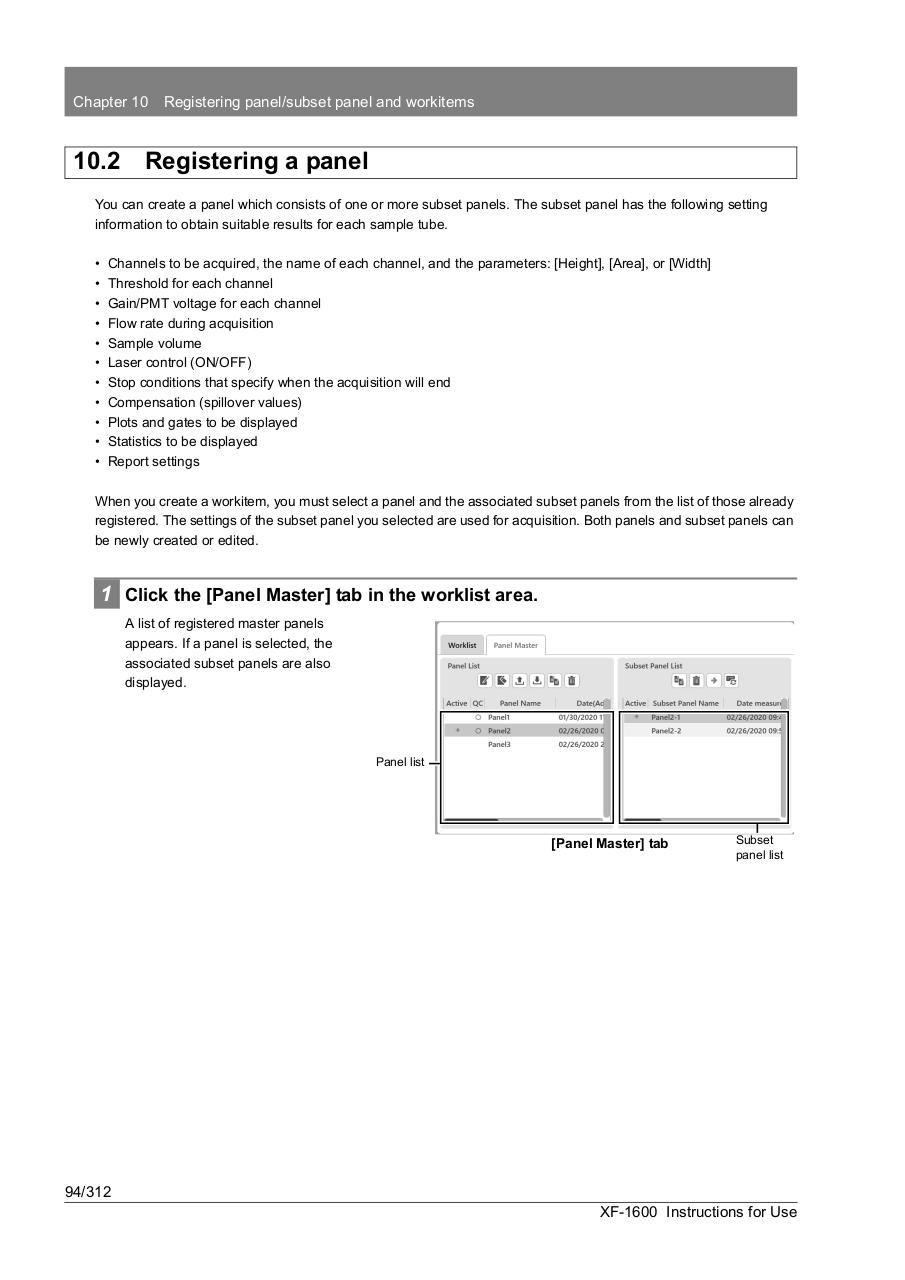
1 Click the [Panel Master] tab in the worklist area.
A list of registered master panels
appears. If a panel is selected, the
associated subset panels are also
displayed.
Panel list
[Panel Master] tab
Subset
panel list
94/312
XF-1600 Instructions for Use