
XF 1600 IFU 5.0 en.pdf
Vista previa de texto
Chapter 10
Registering panel/subset panel and workitems
10.1.2 [Panel Master] tab
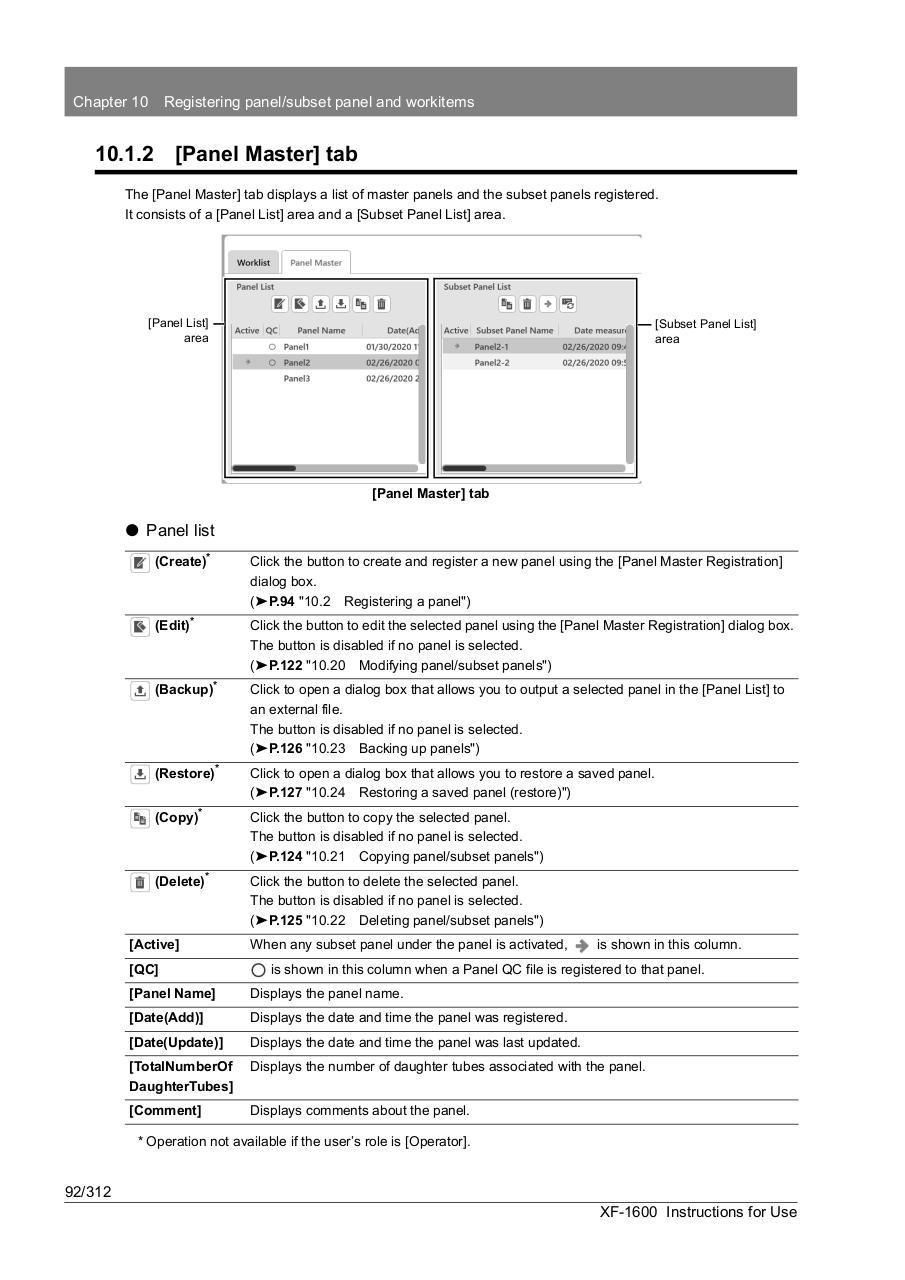
The [Panel Master] tab displays a list of master panels and the subset panels registered.
It consists of a [Panel List] area and a [Subset Panel List] area.
[Panel List]
area
[Subset Panel List]
area
[Panel Master] tab
⏺ Panel list
(Create)*
Click the button to create and register a new panel using the [Panel Master Registration]
dialog box.
(➤P.94 "10.2 Registering a panel")
(Edit)*
Click the button to edit the selected panel using the [Panel Master Registration] dialog box.
The button is disabled if no panel is selected.
(➤P.122 "10.20 Modifying panel/subset panels")
(Backup)*
Click to open a dialog box that allows you to output a selected panel in the [Panel List] to
an external file.
The button is disabled if no panel is selected.
(➤P.126 "10.23 Backing up panels")
(Restore)*
Click to open a dialog box that allows you to restore a saved panel.
(➤P.127 "10.24 Restoring a saved panel (restore)")
(Copy)*
Click the button to copy the selected panel.
The button is disabled if no panel is selected.
(➤P.124 "10.21 Copying panel/subset panels")
(Delete)*
Click the button to delete the selected panel.
The button is disabled if no panel is selected.
(➤P.125 "10.22 Deleting panel/subset panels")
[Active]
[QC]
When any subset panel under the panel is activated,
is shown in this column.
is shown in this column when a Panel QC file is registered to that panel.
[Panel Name]
Displays the panel name.
[Date(Add)]
Displays the date and time the panel was registered.
[Date(Update)]
Displays the date and time the panel was last updated.
[TotalNumberOf
DaughterTubes]
Displays the number of daughter tubes associated with the panel.
[Comment]
Displays comments about the panel.
* Operation not available if the user’s role is [Operator].
92/312
XF-1600 Instructions for Use