
XF 1600 IFU 5.0 en.pdf
Vista previa de texto
Chapter 10
Registering panel/subset panel and workitems
[Rotor No]
Displays the 4-digit barcode number of the rotor if the workitem is registered by [Auto
Loader Registration].
[Register Date]
Displays the date and time the workitem was registered.
[Last Update Date]
Displays the date and time the workitem was last updated.
[Measured by (User
role)]
Displays the role of the user that was logged on during measurement.
[Measured by (Logon
name)]
Displays the name of the user that was logged on during measurement. No name is
displayed if the workitem is not measured yet.
[Order ID]
Displays the ID of the analysis order.
[Order Name]
Displays the name of the analysis order.
[Validator]
Displays the name of the user who validated the workitem. No name is displayed if
the workitem is not validated.
[Validated Date]
Displays the date and time the workitem was last validated.
[Host Output User]
Displays the name of the user who output the workitem to the host computer. No
name is displayed if the workitem is not output to the host computer.
[Host Output Date]
Displays the date and time the workitem was output to the host computer.
[Reagent ID]
Displays the reagent ID.
[Reagent Name]
Displays the reagent name.
[Patient ID]
Displays the patient's ID.
[Patient Name]
Displays the name of the patient (last name, first name)
[Patient Gender]
Displays the patient's gender.
[Patient Date of Birth]
Displays the patient's date of birth.
[Patient Comment]
Displays comments about the patient.
[Comment]
Displays comments about the workitem.
Note:
• For the following actions, the required time to complete depends on the data size.
- Registration
- Delete
- Validate
- Output FCS File
- Output Host
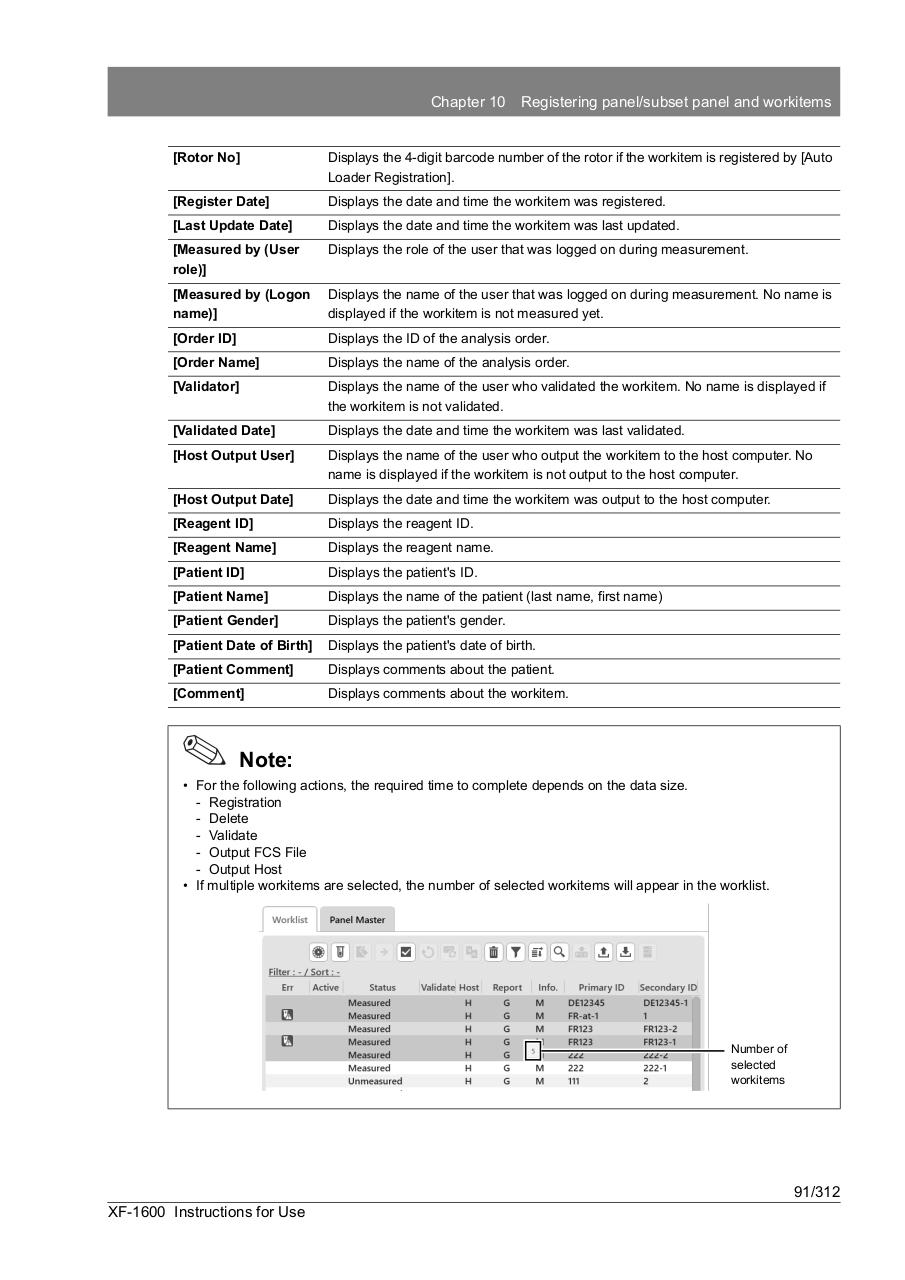
• If multiple workitems are selected, the number of selected workitems will appear in the worklist.
Number of
selected
workitems
91/312
XF-1600 Instructions for Use