
XF 1600 IFU 5.0 en.pdf
Vista previa de texto
Chapter 10
Registering panel/subset panel and workitems
⏺ Worklist
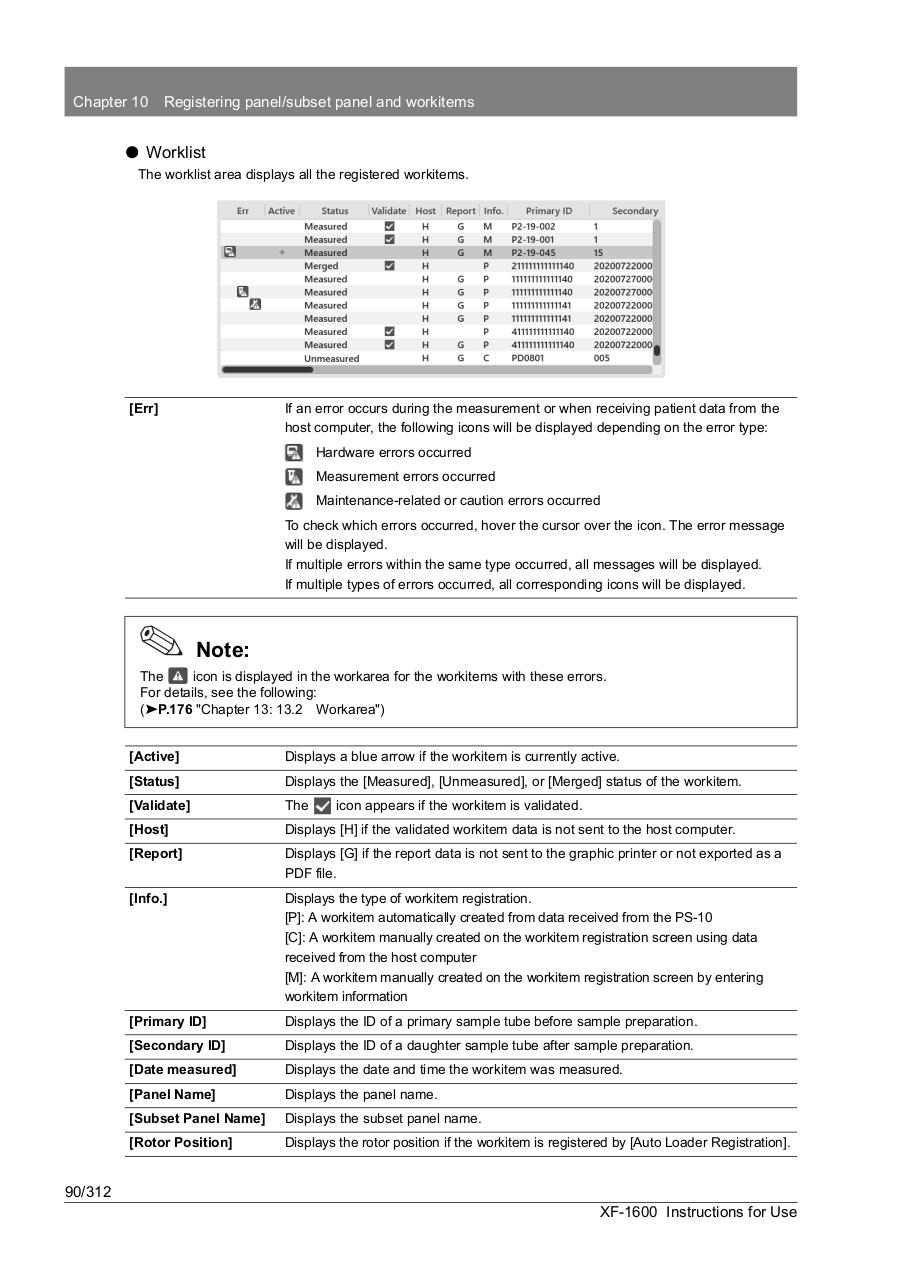
The worklist area displays all the registered workitems.
[Err]
If an error occurs during the measurement or when receiving patient data from the
host computer, the following icons will be displayed depending on the error type:
Hardware errors occurred
Measurement errors occurred
Maintenance-related or caution errors occurred
To check which errors occurred, hover the cursor over the icon. The error message
will be displayed.
If multiple errors within the same type occurred, all messages will be displayed.
If multiple types of errors occurred, all corresponding icons will be displayed.
Note:
The
icon is displayed in the workarea for the workitems with these errors.
For details, see the following:
(➤P.176 "Chapter 13: 13.2 Workarea")
[Active]
Displays a blue arrow if the workitem is currently active.
[Status]
Displays the [Measured], [Unmeasured], or [Merged] status of the workitem.
[Validate]
The
[Host]
Displays [H] if the validated workitem data is not sent to the host computer.
[Report]
Displays [G] if the report data is not sent to the graphic printer or not exported as a
PDF file.
[Info.]
Displays the type of workitem registration.
[P]: A workitem automatically created from data received from the PS-10
[C]: A workitem manually created on the workitem registration screen using data
received from the host computer
[M]: A workitem manually created on the workitem registration screen by entering
workitem information
[Primary ID]
Displays the ID of a primary sample tube before sample preparation.
[Secondary ID]
Displays the ID of a daughter sample tube after sample preparation.
[Date measured]
Displays the date and time the workitem was measured.
[Panel Name]
Displays the panel name.
[Subset Panel Name]
Displays the subset panel name.
[Rotor Position]
Displays the rotor position if the workitem is registered by [Auto Loader Registration].
icon appears if the workitem is validated.
90/312
XF-1600 Instructions for Use