
XF 1600 IFU 5.0 en.pdf
Vista previa de texto
Chapter 9
Cytometer QC and setup
Note:
• The excluded data points remain on the L-J charts even if they are out of management.
• If you want to include the QC result in management again, repeat the same procedure.
⏺ Adding comments for a QC result
1 Move the cursor to the QC result to which you want to add comments.
2 Click
(Comment) in the command buttons area.
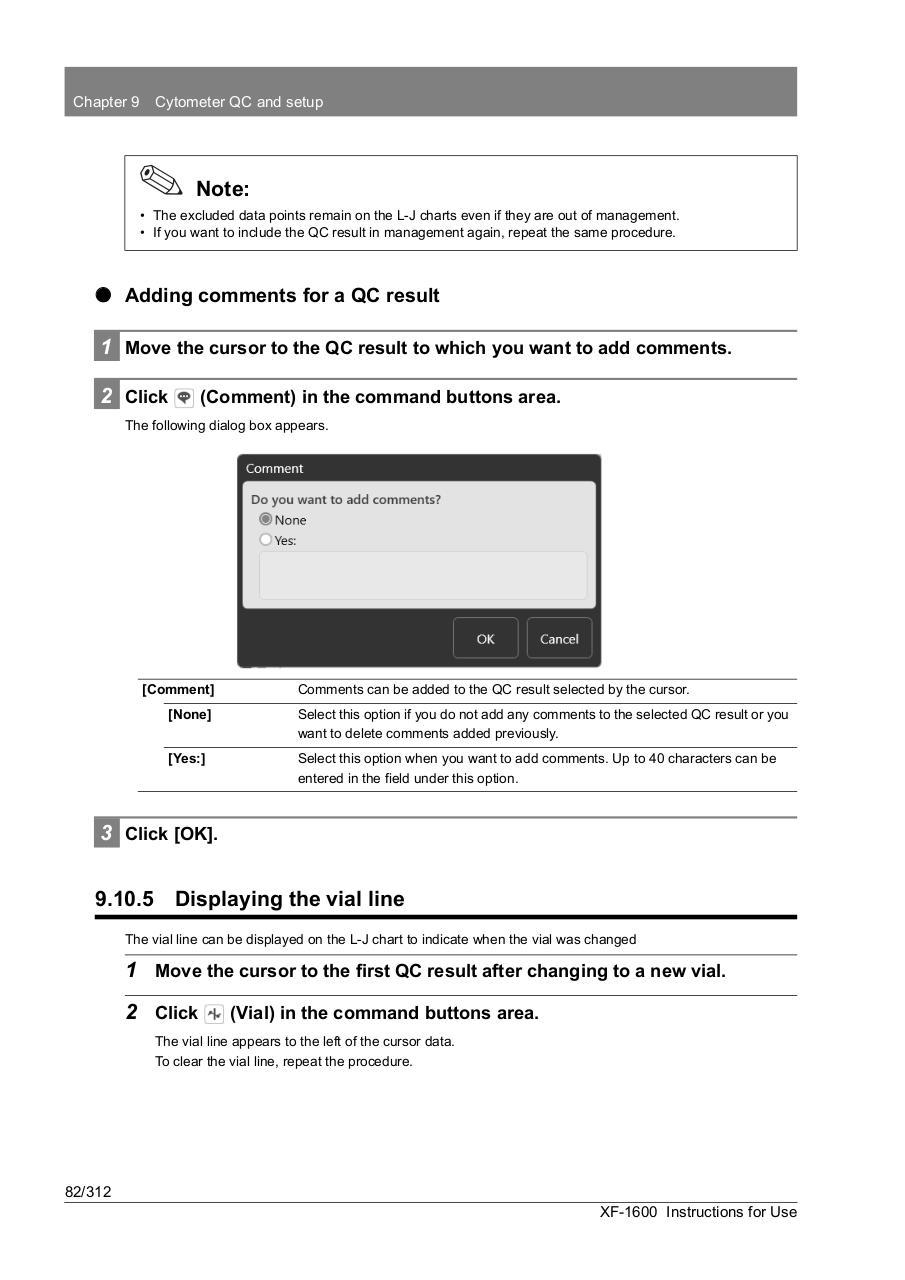
The following dialog box appears.
[Comment]
Comments can be added to the QC result selected by the cursor.
[None]
Select this option if you do not add any comments to the selected QC result or you
want to delete comments added previously.
[Yes:]
Select this option when you want to add comments. Up to 40 characters can be
entered in the field under this option.
3 Click [OK].
9.10.5 Displaying the vial line
The vial line can be displayed on the L-J chart to indicate when the vial was changed
1 Move the cursor to the first QC result after changing to a new vial.
2 Click
(Vial) in the command buttons area.
The vial line appears to the left of the cursor data.
To clear the vial line, repeat the procedure.
82/312
XF-1600 Instructions for Use