
XF 1600 IFU 5.0 en.pdf
Vista previa de texto
Chapter 9
5 Select the QC file and click
Cytometer QC and setup
(Baseline).
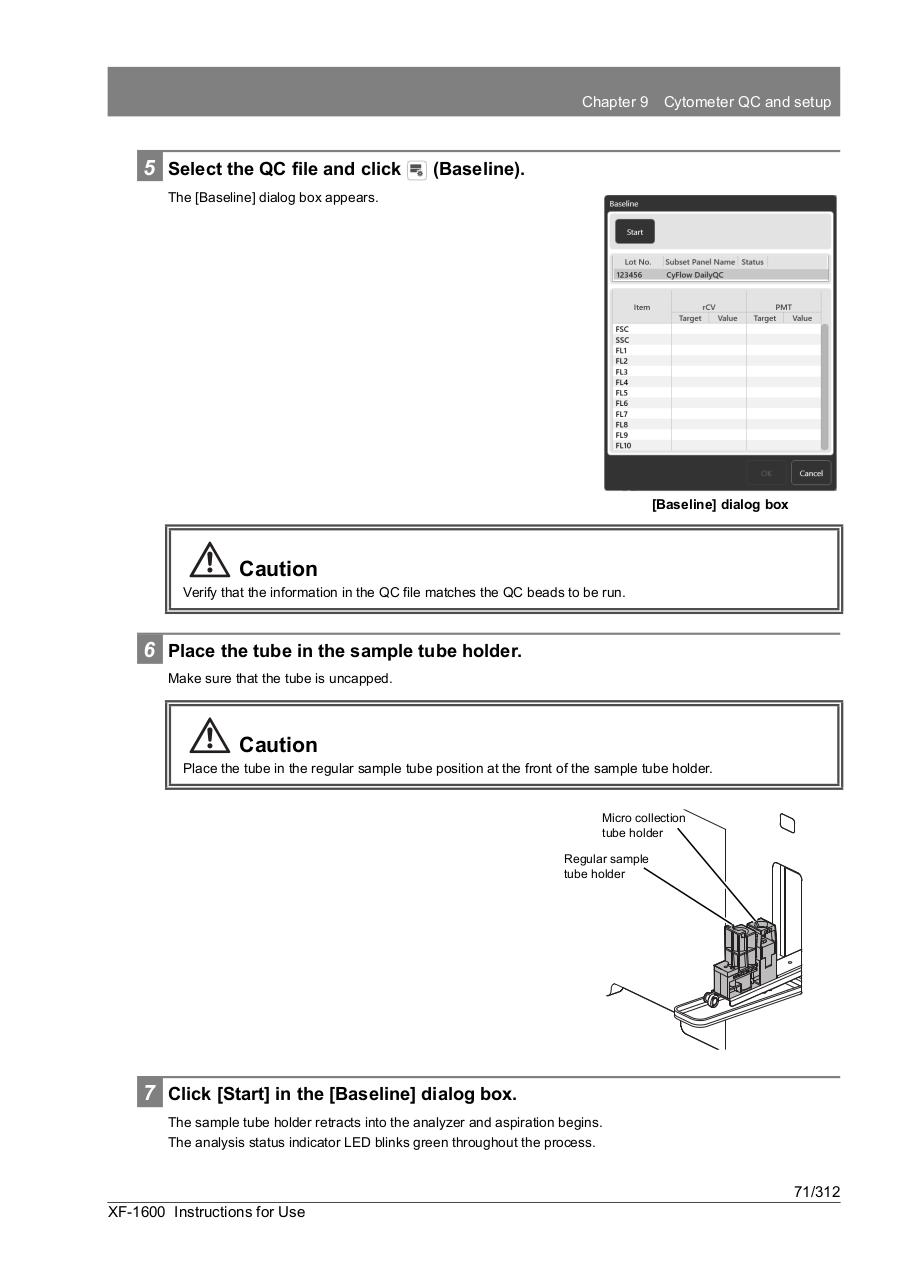
The [Baseline] dialog box appears.
[Baseline] dialog box
Caution
Verify that the information in the QC file matches the QC beads to be run.
6 Place the tube in the sample tube holder.
Make sure that the tube is uncapped.
Caution
Place the tube in the regular sample tube position at the front of the sample tube holder.
Micro collection
tube holder
Regular sample
tube holder
7 Click [Start] in the [Baseline] dialog box.
The sample tube holder retracts into the analyzer and aspiration begins.
The analysis status indicator LED blinks green throughout the process.
71/312
XF-1600 Instructions for Use