
XF 1600 IFU 5.0 en.pdf
Vista previa de texto
Chapter 9
Cytometer QC and setup
Baseline setup takes about 5 minutes before the software generates data.
When the process finishes, the sample tube holder is automatically ejected.
Information
You cannot use the manual analysis start switch on the analyzer to start aspiration. If you press it, a
warning alarm sounds.
8 Remove the tube from the sample tube holder.
You can check that the baseline setup has been completed in either of the following ways:
• The instrument status indicated by the measurement status LED/lower left corner of the IPU screen is lit green.
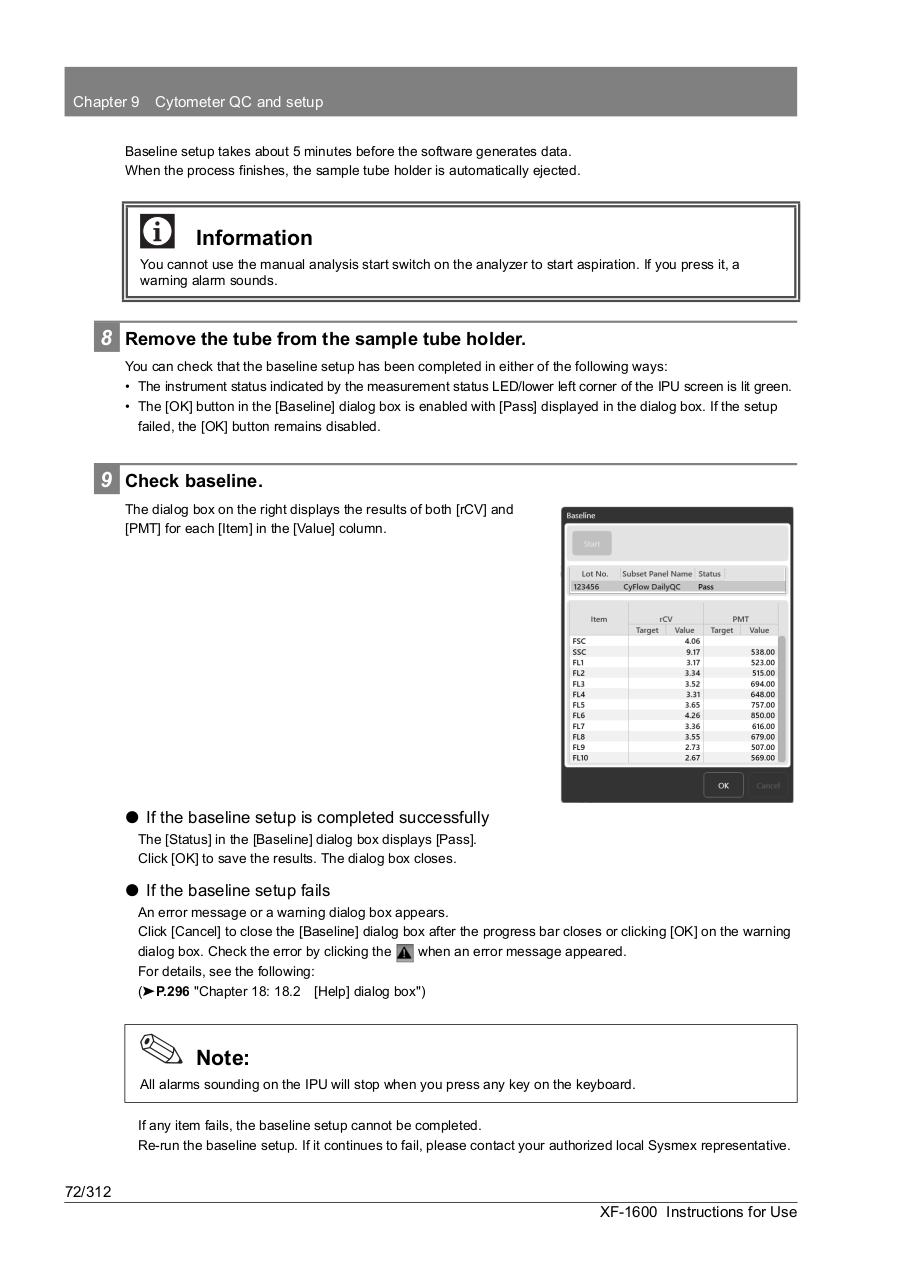
• The [OK] button in the [Baseline] dialog box is enabled with [Pass] displayed in the dialog box. If the setup
failed, the [OK] button remains disabled.
9 Check baseline.
The dialog box on the right displays the results of both [rCV] and
[PMT] for each [Item] in the [Value] column.
⏺ If the baseline setup is completed successfully
The [Status] in the [Baseline] dialog box displays [Pass].
Click [OK] to save the results. The dialog box closes.
⏺ If the baseline setup fails
An error message or a warning dialog box appears.
Click [Cancel] to close the [Baseline] dialog box after the progress bar closes or clicking [OK] on the warning
dialog box. Check the error by clicking the
when an error message appeared.
For details, see the following:
(➤P.296 "Chapter 18: 18.2 [Help] dialog box")
Note:
All alarms sounding on the IPU will stop when you press any key on the keyboard.
If any item fails, the baseline setup cannot be completed.
Re-run the baseline setup. If it continues to fail, please contact your authorized local Sysmex representative.
72/312
XF-1600 Instructions for Use