
XF 1600 IFU 5.0 en.pdf
Vista previa de texto
Chapter 3
Part names and functions
Chapter 3 Part names and functions
This chapter provides an overview and description of the parts of the instrument.
3.1
Analyzer
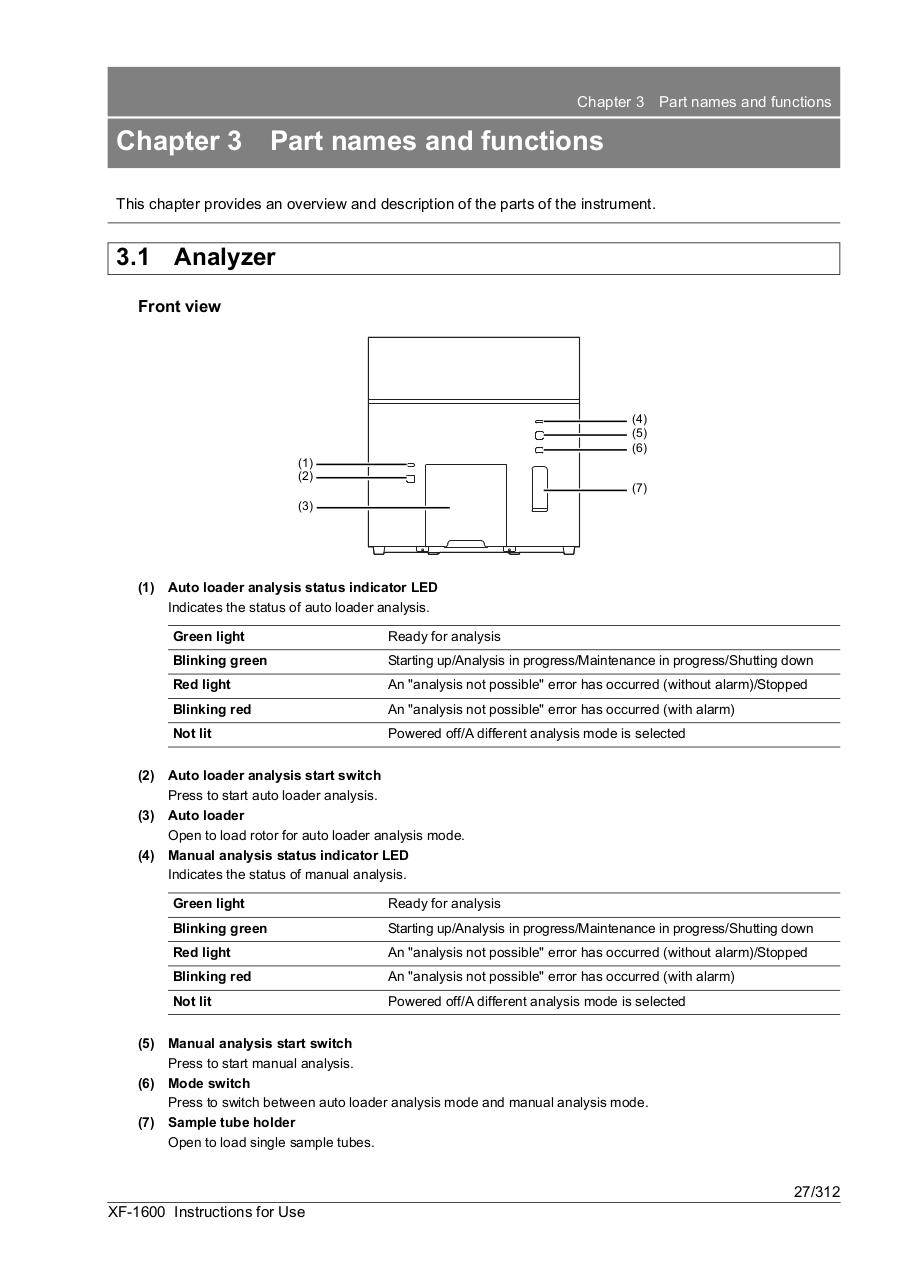
Front view
(4)
(5)
(6)
(1)
(2)
(7)
(3)
(1) Auto loader analysis status indicator LED
Indicates the status of auto loader analysis.
Green light
Ready for analysis
Blinking green
Starting up/Analysis in progress/Maintenance in progress/Shutting down
Red light
An "analysis not possible" error has occurred (without alarm)/Stopped
Blinking red
An "analysis not possible" error has occurred (with alarm)
Not lit
Powered off/A different analysis mode is selected
(2) Auto loader analysis start switch
Press to start auto loader analysis.
(3) Auto loader
Open to load rotor for auto loader analysis mode.
(4) Manual analysis status indicator LED
Indicates the status of manual analysis.
Green light
Ready for analysis
Blinking green
Starting up/Analysis in progress/Maintenance in progress/Shutting down
Red light
An "analysis not possible" error has occurred (without alarm)/Stopped
Blinking red
An "analysis not possible" error has occurred (with alarm)
Not lit
Powered off/A different analysis mode is selected
(5) Manual analysis start switch
Press to start manual analysis.
(6) Mode switch
Press to switch between auto loader analysis mode and manual analysis mode.
(7) Sample tube holder
Open to load single sample tubes.
27/312
XF-1600 Instructions for Use