
Instalar San iscsi en freenas.pdf
Vista previa de texto
Activación de servicio iSCSI en servidor VMware ESXi
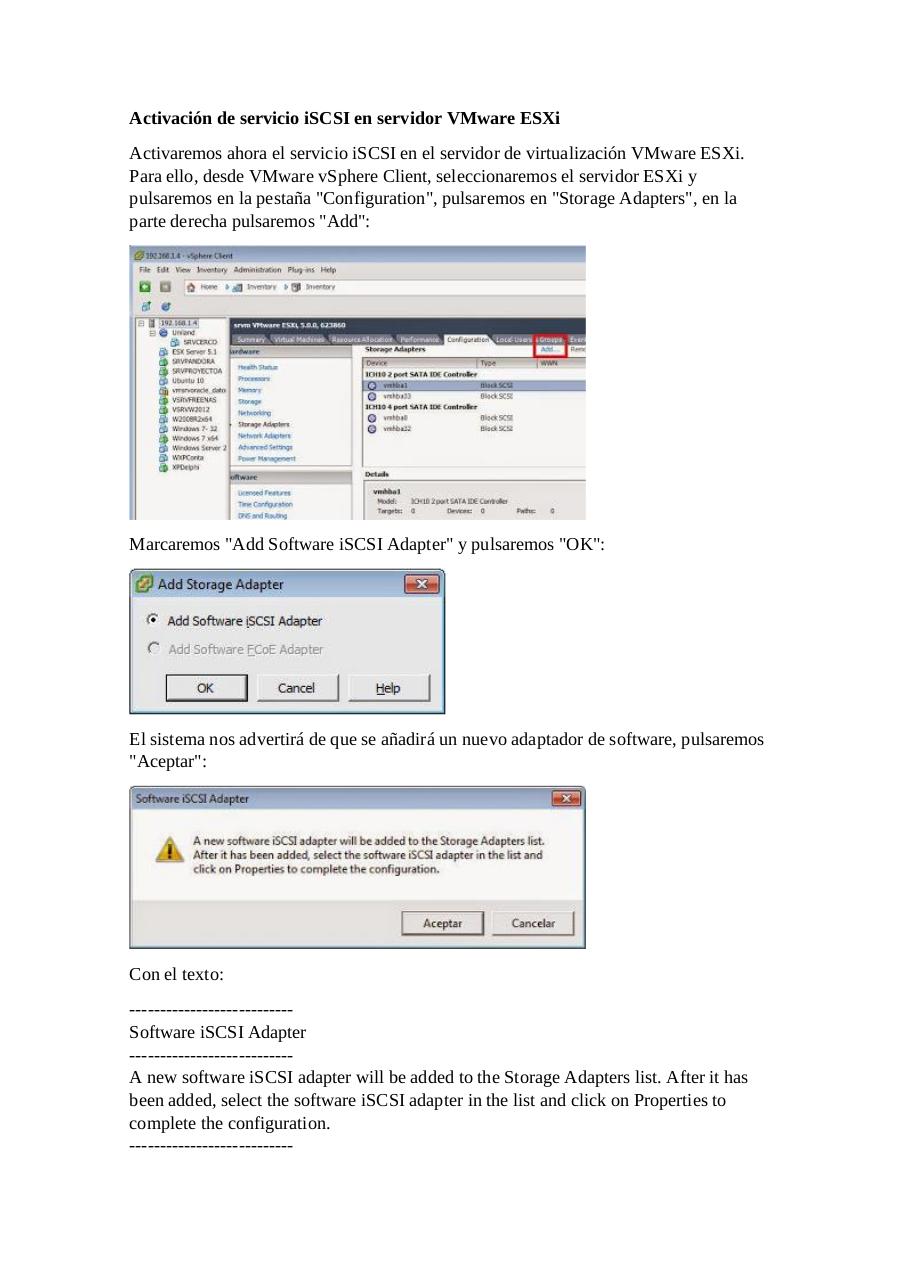
Activaremos ahora el servicio iSCSI en el servidor de virtualización VMware ESXi.
Para ello, desde VMware vSphere Client, seleccionaremos el servidor ESXi y
pulsaremos en la pestaña "Configuration", pulsaremos en "Storage Adapters", en la
parte derecha pulsaremos "Add":
Marcaremos "Add Software iSCSI Adapter" y pulsaremos "OK":
El sistema nos advertirá de que se añadirá un nuevo adaptador de software, pulsaremos
"Aceptar":
Con el texto:
--------------------------Software iSCSI Adapter
--------------------------A new software iSCSI adapter will be added to the Storage Adapters list. After it has
been added, select the software iSCSI adapter in the list and click on Properties to
complete the configuration.
---------------------------